Visit the Repository
Data
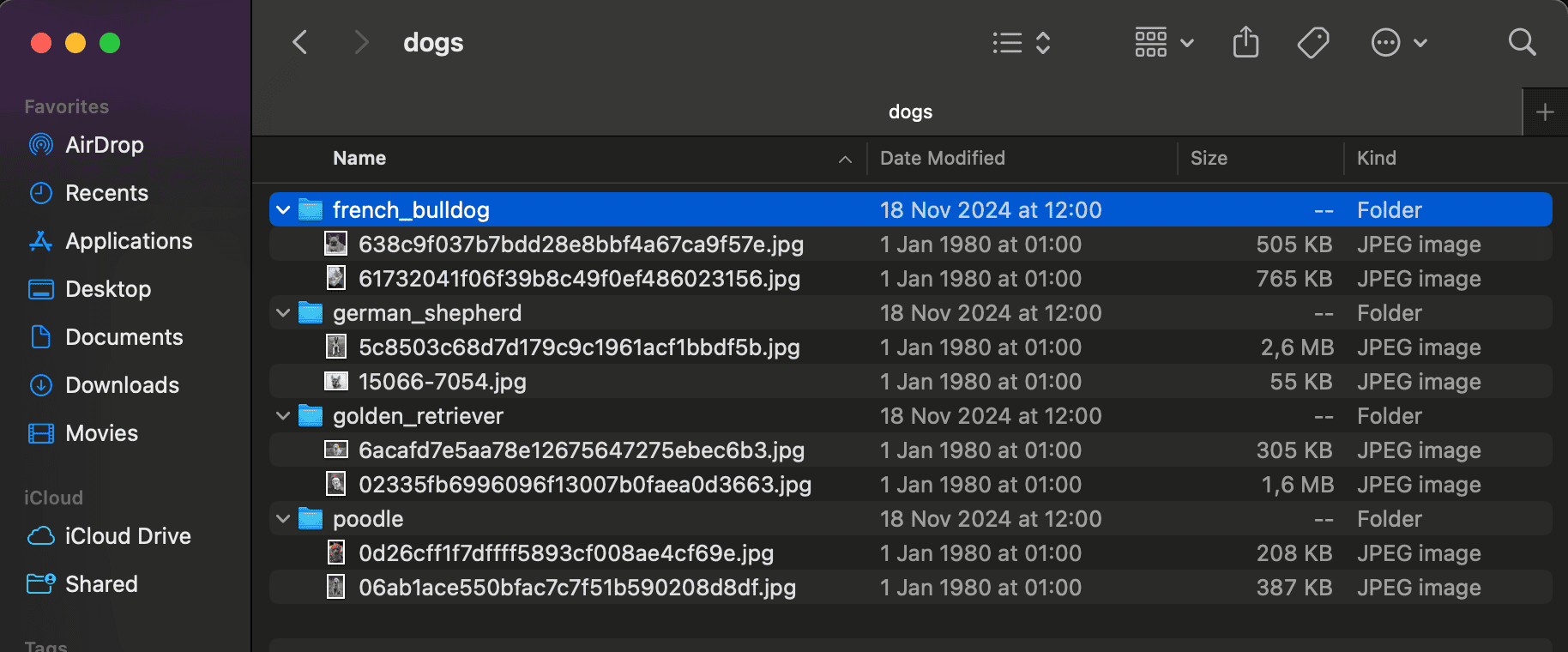
The dataset consists to put the images of the dog breed in the data/dogs directory.
Example:
Frameworks and Libraries
- TensorFlow: A powerful library for numerical computation and building machine learning models.
- Keras: A high-level neural networks API, running on top of TensorFlow.
- NumPy: A library for numerical computing in Python.
- Matplotlib: A plotting library for visualizing model training results.
Results
The model is evaluated using a validation set derived from the training data. After training, the model’s accuracy and loss will be displayed.
Model Training
- Epochs: The model is trained for a maximum of 30 epochs, with early stopping based on validation loss.
- Training & Validation Accuracy: The accuracy will be plotted after training.
How to Run the Project
- Clone the repository.
- Install the required packages:
pip install -r requirements.txt
Execute
python classifier.py --model baselineOutput Example
poch 29/30
1/1 ━━━━━━━━━━━━━━━━━━━━ 1s 520ms/step - accuracy: 1.0000 - loss: 0.0286
Epoch 30/30
1/1 ━━━━━━━━━━━━━━━━━━━━ 1s 520ms/step - accuracy: 1.0000 - loss: 0.0106
1/1 ━━━━━━━━━━━━━━━━━━━━ 0s 476ms/step
Training samples: 8, Classes: 4
                  precision    recall  f1-score   support

  french_bulldog       0.00      0.00      0.00         2
 german_shepherd       0.00      0.00      0.00         2
golden_retriever       0.50      0.50      0.50         2
          poodle       0.50      0.50      0.50         2

        accuracy                           0.25         8
       macro avg       0.25      0.25      0.25         8
    weighted avg       0.25      0.25      0.25         8

WARNING:absl:You are saving your model as an HDF5 file via `model.save()` or `keras.saving.save_model(model)`. This file format is considered legacy. We recommend using instead the native Keras format, e.g. `model.save('my_model.keras')` or `keras.saving.save_model(model, 'my_model.keras')`
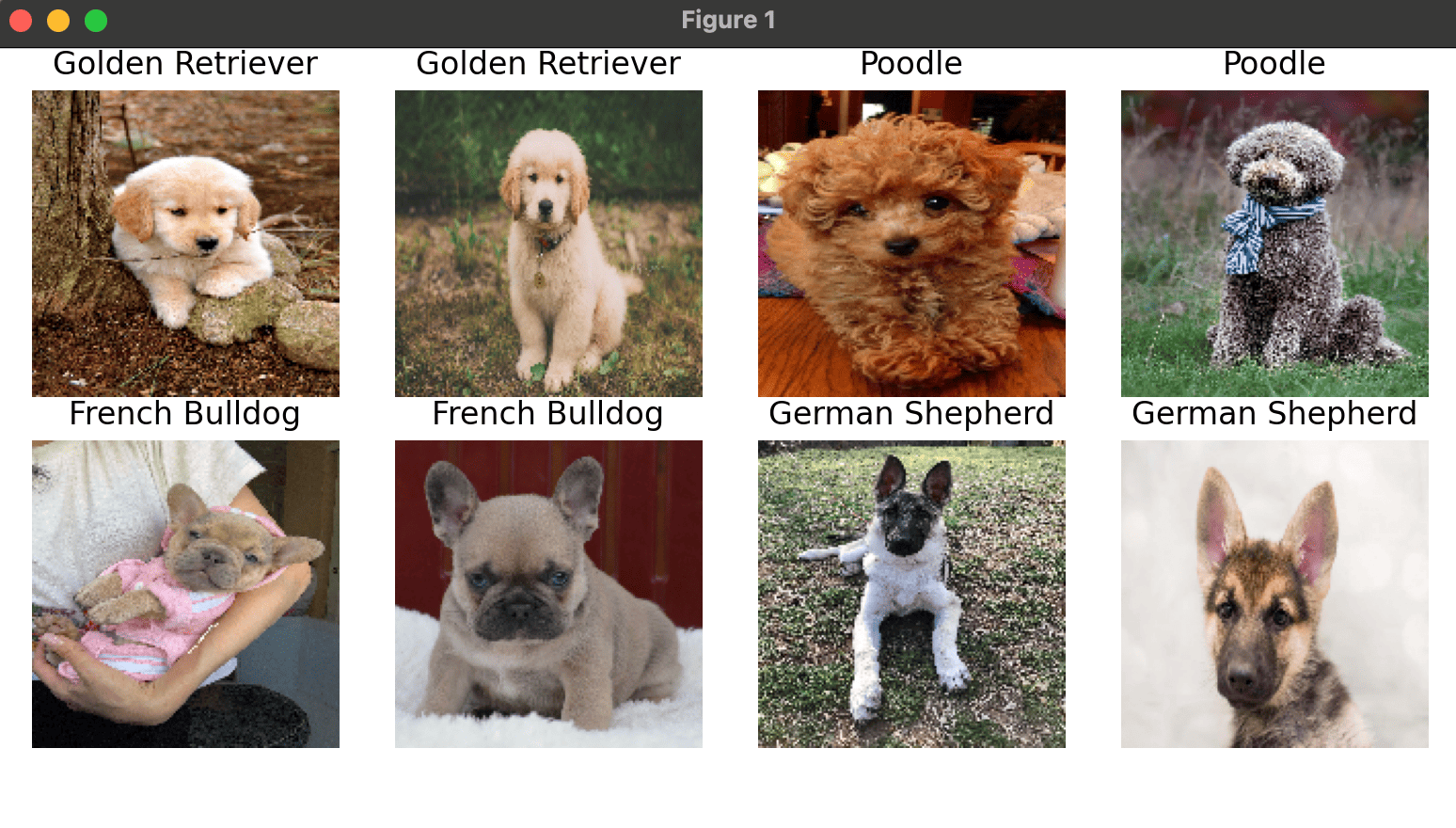
Window example: